Personal software is software built around the needs of a particular person or small group. Its scope comes from a real routine: organizing a browser window, finding a saved reference, comparing outfits, or keeping meeting notes in files you own.
It can be a script, an extension, a spreadsheet, or a complete app. It does not need AI inside it. It does not need a business model. The useful question is whether it fits the person using it.
This use of the term is separate from the Personal Software Process, the software engineering methodology. Here, personal describes who the tool is made for.
That is the thread connecting my personal software projects. They look different because the problems are different.
Why people are talking about personal software now
On October 11, 2026, Pieter Levels wrote:
It’s now the era of personal software and everyone just builds what they need whenever they need it I think
— Pieter Levels, on X, also archived on his site.
The interesting part of that prediction is the change in who decides what gets built. A recurring annoyance used to need enough commercial demand to justify someone else’s roadmap, or enough spare time to justify writing the tool yourself. AI-assisted development makes more of those small projects worth attempting.
That does not make the cost of software zero. Someone still has to decide what the tool should do, check its output, and keep it working. But the first working version is becoming easier to reach. That changes which ideas get a chance.
Lee Robinson makes the change concrete in his January 2025 essay:
Software can now adapt to you, not the other way around.
— Lee Robinson, “Personal Software”.
His example is a tool for tracking his baby’s sleeping and eating. The particular needs of two parents define the product. There is no reason to add every feature a commercial parenting app might need.
This idea is older than AI coding
In February 2020, Robin Sloan described a messaging app he made for his family:
I am the programming equivalent of a home cook.
— Robin Sloan, “An app can be a home-cooked meal”.
That comparison matters. Cooking for yourself is a complete activity. It does not become worthwhile only when you open a restaurant. Software can have the same relationship to a household, a hobby, or one person’s work.
In March 2023, Geoffrey Litt explored how language models could widen access to this kind of creation. His argument included modifying existing tools and building temporary interfaces, alongside creating apps from scratch. He described the broader change as:
changing when software gets created, by whom, for what purpose.
— Geoffrey Litt, “Malleable software in the age of LLMs”.
Personal software describes who a tool serves. Malleable software describes how easily people can reshape it. A useful personal tool should leave room for its owner’s habits to change.
Five personal software examples from my own projects
Tabbit: organize the browser I already use
Tabbit groups browser tabs using Chrome’s native tab groups. The problem was small: the browser already had the organization feature, but maintaining it was a chore.
It preserves the existing interface. Local development tabs get their own group. Grouping has a fallback when the model call fails. Those decisions come from the actual browser window the extension has to handle.
Birdbrain: find something I saved months ago
Birdbrain captures X bookmarks into a local archive and adds topic labels and summaries. The goal is to recover a useful reference without remembering its author’s handle or the exact words in the post.
It keeps capture close to the habit I already have: bookmarking on X. I wrote a separate case study of the archive, search, and privacy tradeoffs.
Fitroom: compare outfits for two particular people
Fitroom renders two people in selected outfits together. The useful constraints are specific: preserve their relative heights, keep their references, and compare combinations in one picture.
This is a visual decision aid. It cannot prove that a garment will fit or that generated fabric details are accurate. A narrow purpose still needs clear limits.
Turntable: make images for the things I build
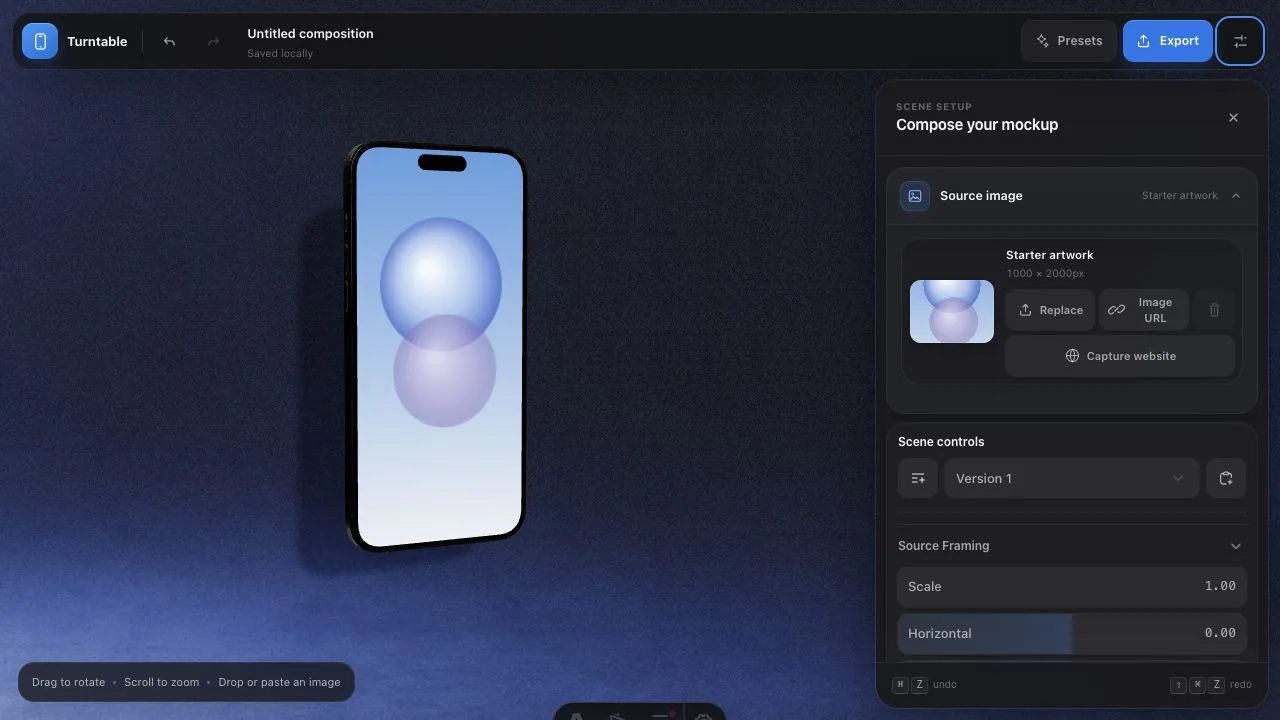
Turntable turns interface screenshots into 3D device mockups in the browser. It exists because making another launch image is a recurring task. Predictable export sizes and a scene that survives a refresh matter more here than a broad design suite.
Stone: keep working context in files I own
Stone combines notes, journals, tasks, and meeting records around Markdown files. Those records need to remain useful even if I change editors later.
The storage decision is more important than any single AI feature. Local search and transcription work on the machine; optional cloud text generation is a separate choice. The Stone introduction explains that boundary.
Personal software and vibe coding are different ideas
Personal software describes the purpose and audience. Vibe coding describes an approach to making software with AI. A hand-written shell script can be personal software. An AI-generated commercial product can serve thousands of customers.
Keeping the distinction clear helps set the quality bar. A small audience can justify fewer features. It cannot justify silently losing the only copy of your notes.
For a one-off formatter, checking the output may be enough. For a tool that edits files or keeps an archive, I want recovery, visible failures, and a way to inspect the saved data. The consequences of failure should determine the amount of engineering.
When should you build instead of buy?
Building is attractive when the job is narrow, existing tools force an awkward routine, and you can tell whether the result is correct. It is especially useful when the missing feature belongs inside a tool you already use.
Buying is often better when the existing product fits, you need reliable collaboration, or you do not want to maintain the result. Support, updates, sync, and recovery are part of what a subscription can pay for.
Count the whole cost: building time, model usage, hosting, repairs, and attention. Avoid claiming savings just because the first version was quick to generate.
Start with one recurring annoyance
Choose something you did manually twice this week. Describe the input, the desired output, and the mistake that would make you stop trusting the tool. Then build the smallest version you can use in that situation.
The personal software wave becomes meaningful when those small tools earn a place in ordinary life. My next piece walks through how to build a first personal tool, including a concrete brief and checks to run before trusting it.